

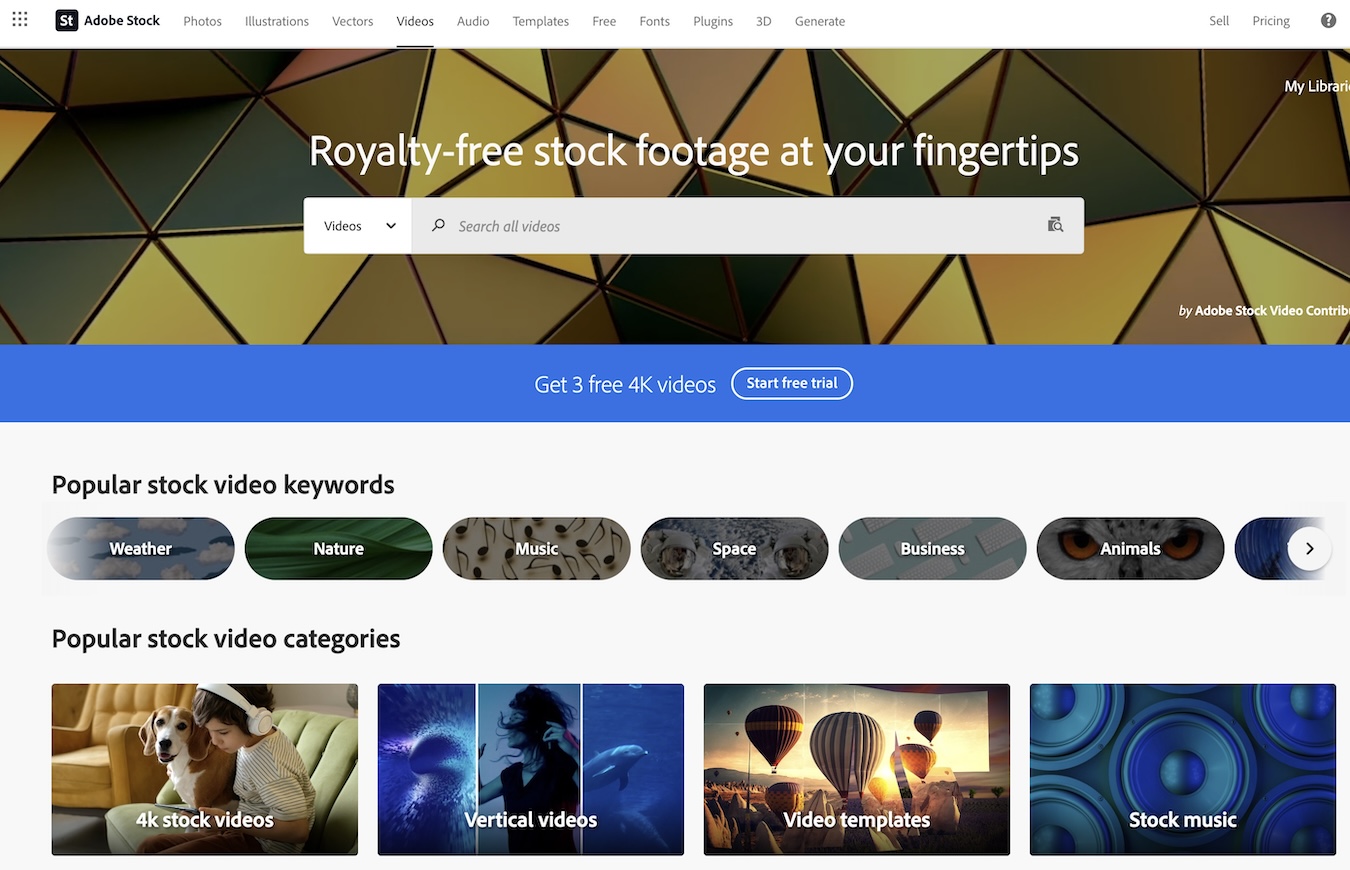
In today’s visually driven world, the demand for high-quality video content is skyrocketing. Adobe Stock has been quietly preparing for a significant move in this space, and it looks like that moment has arrived. With the recent addition of 15 million new 4K videos to their library, Adobe Stock is making waves in the stock asset market.
Gone are the days when 4K resolution was a luxury reserved for elite projects. Now, it’s becoming the standard, offering unmatched clarity and detail that make HD look almost outdated. This massive expansion means Adobe Stock subscribers can now access an unparalleled variety of top-tier video content without any extra cost—all seamlessly integrated into Adobe’s Creative Cloud suite.
As someone who frequently works with video production tools like Photoshop and Premiere Pro, I find this integration incredibly convenient. You can browse, license, and edit stock footage directly within your design interface—no need to switch between multiple platforms.
Features of Adobe Stock Videos

Adobe Stock offers a robust selection of video content that caters to a wide range of creative needs. Here are some key features that make it stand out in the stock video market.
High Definition And 4K Video Options
One of the most impressive aspects of Adobe Stock is its extensive collection of high-definition (HD) and 4K videos. With over 20 million HD videos available, creators can find footage suitable for almost any project. The platform also offers significant savings; HD videos can be purchased for as low as $7.99, which translates to an 80%+ saving compared to on-demand purchases. For those needing even higher quality, Adobe Stock provides options to save 20% on 4K videos and premium assets.
Extensive Video Categories And Styles
Adobe Stock excels in offering a diverse range of video categories and styles. From vertical videos perfect for social media platforms to intricate video loops and backgrounds, there’s something for every type of project. The library boasts over 23 million high-quality, royalty-free stock videos that cover animation, video effects, and more. This diversity ensures that users can always find footage that aligns perfectly with their vision.
Customizable Video Templates
Another standout feature is the availability of customizable video templates. These templates allow users to quickly create professional-grade content without starting from scratch. Whether you need an eye-catching opener or a sleek transition effect, Adobe Stock’s extensive template library has got you covered. This feature not only saves time but also helps maintain consistency across different projects.
Adobe Stock’s commitment to providing high-quality and versatile video options makes it an invaluable resource for creators looking to enhance their work seamlessly within the Creative Cloud suite.
User Experience
Using Adobe Stock videos within Adobe’s Creative Cloud is a game-changer for video editors. The seamless integration and robust search functionalities make it an invaluable tool for content creators.
Integration with Editing Software
One of the standout features of Adobe Stock is its native integration with most Creative Cloud apps, including Premiere Pro, After Effects, and Premiere Rush. This means I can search, preview, customize, and license video assets directly from these applications without switching between different software. For instance, in Premiere Pro, I can drag high-quality video previews directly into my sequences to test them out before making any final decisions. This streamlined workflow saves time and allows me to experiment with various clips until I find the perfect fit for my project.
Search Functionality and Filters
Adobe Stock excels in making it easy to find exactly what I’m looking for. With 11 million HD stock videos and over 4 million 4K footage clips available, it’s crucial to have effective search tools. The platform offers advanced filters that let me narrow down my options by resolution (HD or 4K), theme, style, duration, and even color palette. Additionally, I can add watermarked unlicensed previews to my workboard at no cost and work with them as placeholders until I’m ready to finalize my choices. Once satisfied with the result, licensing the asset updates it automatically to a higher-resolution file without watermarks—ensuring a smooth transition from preview to final product.
Adobe Stock’s user-centric design makes it easier than ever to incorporate premium video content into my projects while maintaining a fluid editing process through powerful search capabilities and seamless integration with top-tier editing software.
Pros of Using Adobe Stock Videos
Adobe Stock offers numerous benefits that make it a go-to resource for video content creators. Here’s a closer look at some of the key advantages.
Wide Range of License Options
One of the standout features of Adobe Stock videos is their extensive licensing options. Users can choose between standard and extended licenses based on their specific needs. The enhanced license is particularly noteworthy as it allows for unlimited views and reproductions beyond the typical 500,000 copy/viewer restriction. This flexibility means you can use the same video in multiple projects without worrying about hitting any limits.
Additionally, Adobe Stock’s royalty-free model ensures you only pay a one-time fee per download, which covers usage across various platforms such as broadcast, digital websites, and social media. For example, downloading a 1080p HD video costs $79.99 under this model, making it an economical choice for high-quality content with no distribution volume limitations.
Accessible to Various User Levels
Adobe Stock makes its vast library accessible to users across different skill levels and project requirements. One of the major perks is its seamless integration with Creative Cloud applications like Premiere Pro and After Effects. This integration streamlines your workflow by allowing you to search, preview, customize, and license videos directly within these apps.
Moreover, Adobe Stock offers affordable subscription plans and credit packs tailored to fit individual users as well as teams and enterprises with varying budgets. Whether you’re an independent creator or part of a larger organization, there are pricing options designed to meet your needs without breaking the bank.
The platform also features user-friendly search functionalities and filters which simplify finding exactly what you need quickly—be it footage highlighting office corridors caught on CCTV cameras or panoramic shots of editors working near computer monitors. This ease of use ensures that even those new to video editing can navigate Adobe Stock efficiently and effectively integrate premium content into their projects.
Cons of Using Adobe Stock Videos
While Adobe Stock offers many benefits, some drawbacks might make it less appealing depending on your needs. Here are a few key considerations to keep in mind.
Cost Considerations
One of the primary concerns with Adobe Stock videos is the cost. The pricing can be steep, particularly for high-resolution content. For example, an HD video download costs 8 credits, while a 4K video requires 20 credits. Considering that credit packs come at a significant price, acquiring multiple videos can quickly add up.
Additionally, although subscription plans are available, these typically include standard licenses for standard assets only and do not cover Premium assets or videos. This means that even if you have a subscription plan, you may need to purchase additional credits for specific high-quality or unique content.
Here’s a quick look at the costs:
| Video Type | Credits Required |
|---|---|
| HD Video | 8 Credits |
| 4K Video | 20 Credits |
Limitations on Usage Depending on License
Adobe Stock’s licensing terms also present certain limitations that users should consider carefully. A Standard License limits reproduction to 500,000 copies or viewers. This restriction could be problematic for larger projects aimed at broader audiences or those requiring extensive distribution.
For more extensive use cases without viewer limitations, an Enhanced License is required. While this license removes the viewer cap and allows greater flexibility in reproduction beyond the standard threshold, it still doesn’t permit distributing the stand-alone file or creating merchandise where the asset itself holds primary value.
Understanding these nuances ensures you’re fully aware of what each license entails and helps avoid potential legal issues down the road due to misuse or overuse under incorrect licensing terms.
Performance
When it comes to performance, Adobe Stock videos deliver impressive results that cater to both amateur videographers and professional content creators.
Quality and Resolution of Stock Videos
Adobe Stock is known for its high-quality video offerings. The platform accepts videos with a minimum resolution of 1080 pixels on both sides, ensuring that even the lowest quality submissions meet Full HD standards. With over 15 million new 4K videos added to their library, users have access to some of the highest resolution stock footage available on the market. This focus on high resolution allows for more flexibility in post-production tasks like zooming and cropping without losing image clarity.
Moreover, contributors are encouraged to submit well-lit and properly exposed videos free from visual and audio noise. This attention to detail ensures that every clip you download maintains a consistent level of quality which is crucial when working on professional projects.
Download Speeds and Accessibility
One of the standout features of Adobe Stock is its seamless integration with Adobe Creative Cloud apps like Premiere Pro and After Effects. This tight integration means you can browse, license, and download stock footage directly within your editing software without needing to switch between multiple platforms.
Download speeds are also quite commendable given the high file sizes associated with HD and 4K videos. The platform aims to make these high-quality assets accessible quickly so you can maintain your workflow efficiency.
Additionally, Adobe’s multi-asset plans include HD video downloads at significantly reduced costs—over 80% savings compared to purchasing individual clips on demand—which makes it an attractive option for those who require frequent access to stock footage. This affordability combined with robust performance features makes Adobe Stock a strong contender in the realm of stock video services.
Comparison with Alternatives
When considering Adobe Stock for video content, it’s important to compare it with other major stock video providers. Each platform has its own strengths and weaknesses, and the best choice depends on your specific needs.
Library Size
Adobe Stock boasts an impressive library of 15 million 4K videos. This extensive collection ensures you have a wide variety of content to choose from. However, Shutterstock is another strong contender in this category with an equally vast library that includes photos, videos, music, and even 3D models. Envato Elements also offers a large collection but focuses more on affordability and variety rather than sheer volume.
Integration
One of Adobe Stock’s standout features is its seamless integration with Adobe Creative Cloud applications like Premiere Pro and After Effects. This allows users to browse, license, and edit stock footage directly within these programs without switching between platforms. While Shutterstock offers plugins for various software applications, it doesn’t match the deep integration that Adobe Stock provides within the Creative Cloud ecosystem.
Quality
Quality is a crucial factor when selecting stock videos. Adobe Stock excels in offering high-quality media files suitable for professional projects. The submissions are well-lit and meticulously curated to maintain consistency across different genres. Shutterstock also provides high-quality options but often lacks the meticulous curation seen in Adobe Stock’s offerings. Envato Elements delivers good quality too but may vary as it caters more towards budget-conscious users.
Pricing
Adobe Stock can be expensive at $79.99 per 1080p HD video download which might be steep for some users especially those working on multiple projects or requiring frequent downloads. On the other hand, Shutterstock offers flexible pricing plans including subscription models that can be more cost-effective for bulk usage. Envato Elements shines here by providing unlimited downloads through a monthly subscription which makes it extremely attractive for freelancers or small businesses needing various assets regularly.
| Provider | Price (Per Download) | Subscription Options |
|---|---|---|
| Adobe Stock | $79.99 | Multi-asset plans available |
| Shutterstock | Variable | Subscription models available |
| Envato Elements | Included in subscription ($33/month) | Unlimited downloads |
Hands-on Experience
Exploring Adobe Stock’s video library has been a game-changer for my projects. The platform offers an impressive array of high-quality videos that cater to various needs.
Navigating the Video Library
Navigating through Adobe Stock’s video library is straightforward and user-friendly. The platform provides over 23 million HD and 4K stock videos, which can be easily searched using specific keywords or filters like resolution and duration. I found the curated collections particularly useful as they feature hand-picked content aligned with current commercial trends. For instance, if you’re looking for immersive real-world footage, you can simply search for GoPro videos and get exactly what you need without any hassle.
Testing Video Download and Integration
Downloading and integrating videos from Adobe Stock into my workflow was seamless, especially with its integration into Adobe Creative Cloud applications like Premiere Pro and After Effects. You can browse and license footage directly within these apps without having to switch between different interfaces. One of the standout features is the ability to add watermarked preview clips to your project before committing to a purchase. This allows for ample testing time to ensure the selected footage fits perfectly in your project.
| Feature | Details |
|---|---|
| Number of Videos | Over 23 million HD & 4K |
| Specific Search Types | Keywords, Filters (resolution, duration), Curated Collections |
| Integration | Directly within Premiere Pro & After Effects |
At $79.99 per 1080p HD download, the pricing might seem steep compared to competitors but considering the quality and ease of integration with Creative Cloud apps, it’s a worthwhile investment for serious creators looking for top-tier stock footage.
Final Verdict
Adobe Stock Videos stand out for their exceptional quality and seamless integration with Adobe Creative Cloud. Despite a slightly higher price point, the extensive library of 4K content and user-friendly navigation make it a valuable resource. For serious creators needing top-tier stock footage, investing in Adobe Stock is definitely worth considering.